5 Personal Trainer Website Examples That Book Consultations
Most personal trainer website examples online are built around before-and-after photos and a lot of shouting. That suits big gyms. An independent trainer or a small private studio sells something more personal, and the website has to do something different.
This list is judged on one thing: does the site get the right person to book a first session or a consultation? Every example belongs to an independent trainer or a small private studio, picked for what a visitor sees in the first few seconds on a phone.
What a personal trainer website has to do
People looking for a trainer have usually tried the gym on their own and it didn’t stick. Many are nervous about being judged. So the first screen has to answer:
- Who is this for? Beginners, women in their 30s and up, people with joint pain, busy professionals.
- Where, and what kind of space? Private studio, in-home, online.
- Who will I be working with? A real trainer with a name and a face.
- What’s the first step? A free consultation, a phone call, or a price.
The examples
1. The Fitness Studio — Charlotte, NC
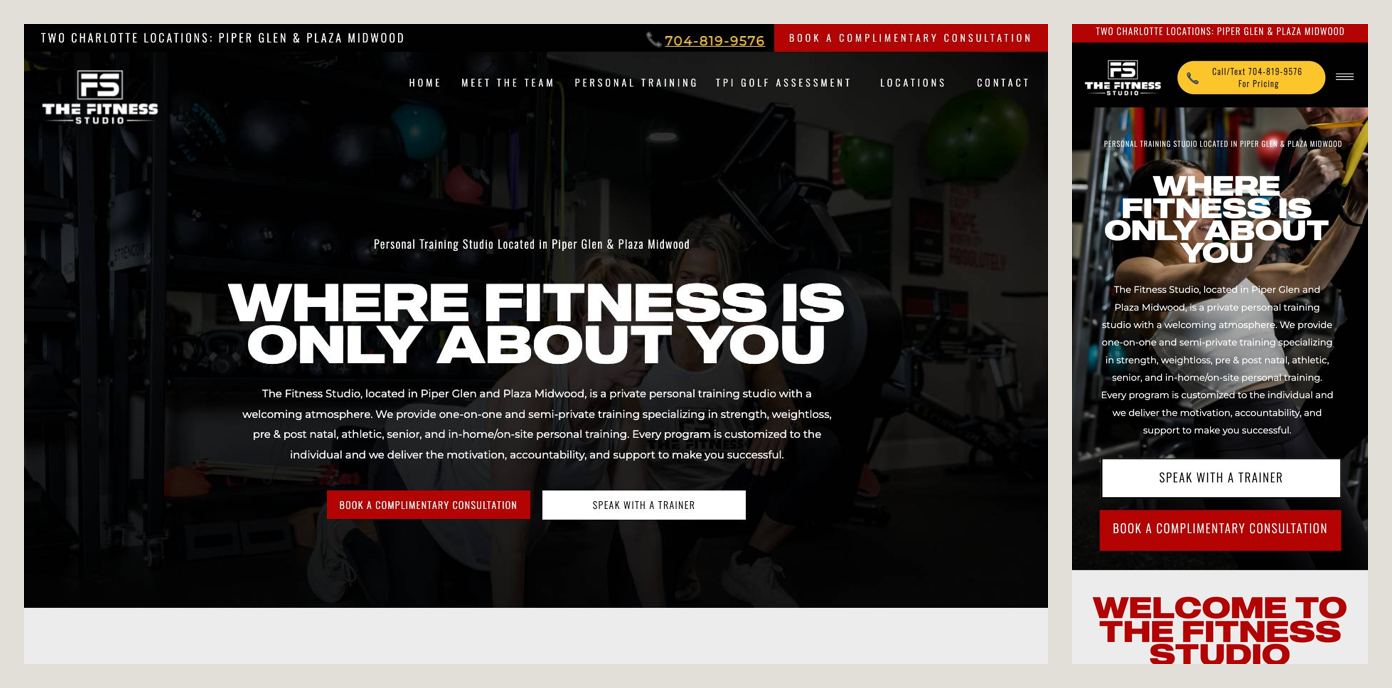
Before the logo, a thin red bar names the two Charlotte locations: Piper Glen and Plaza Midwood. Next to the logo, a yellow button reads Call/Text 704-819-9576 for Pricing, which is honest about the fact that pricing is a conversation. The headline, Where fitness is only about you, is followed by two buttons for two kinds of people: Speak With a Trainer for those who want to talk first, and Book a Complimentary Consultation for those ready to come in.
Steal this: offer a first step for the nervous and a first step for the ready. A free consultation is a lot easier to say yes to than a package.
2. Fixed by Fitness — Austin, TX
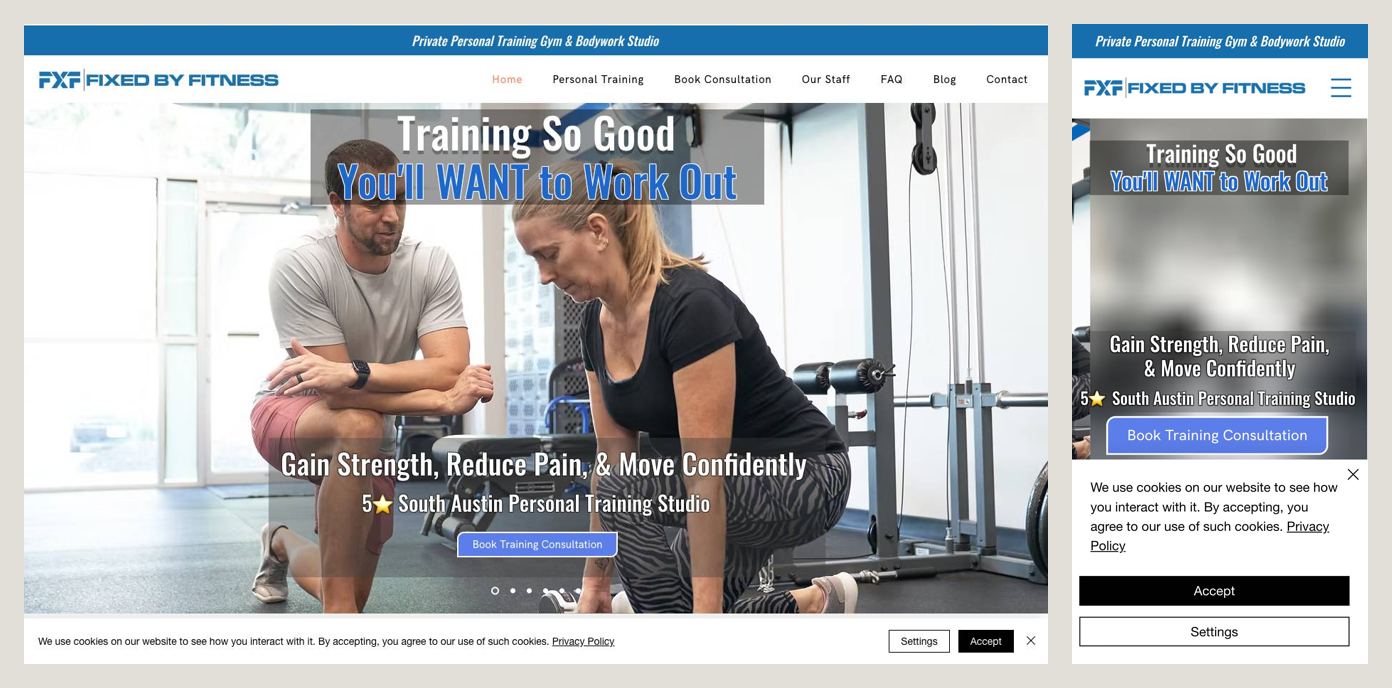
This studio knows exactly who it’s for, and the headline says so: Gain Strength, Reduce Pain, & Move Confidently. That speaks to adults with bad knees and stiff backs, not to people chasing a six-pack. Under it: 5★ South Austin Personal Training Studio and a single button, Book Training Consultation. The reviews further down fit the same people, like a client who lost 80 pounds and whose knees no longer hurt on the stairs.
Steal this: lead with the result your best clients actually came for. “Reduce pain” reaches people a generic “get fit” never will.
3. Taylor Carpenter Personal Training — Charlotte, NC
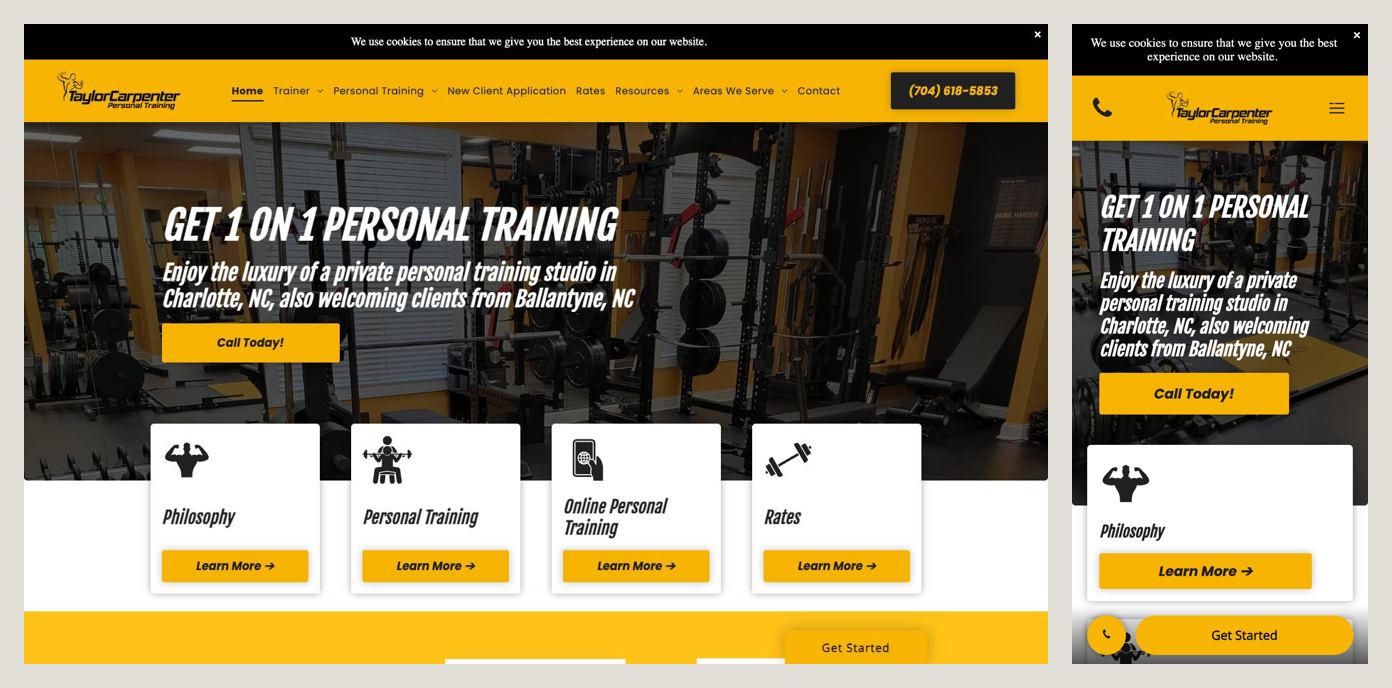
The business is named after the trainer, and the site sells the one thing a big gym can’t: a 1,250 sq ft studio all to yourself. The headline, Get 1 on 1 Personal Training, comes with a line naming the area (Charlotte, with clients from Ballantyne) and a big yellow Call Today! button. A phone icon also sits in the top corner.
Steal this: if privacy is your advantage, give it a number. “A private studio” is vague. “1,250 square feet all to yourself” is something people can picture.
4. Lemonade Fit — Charlotte, NC
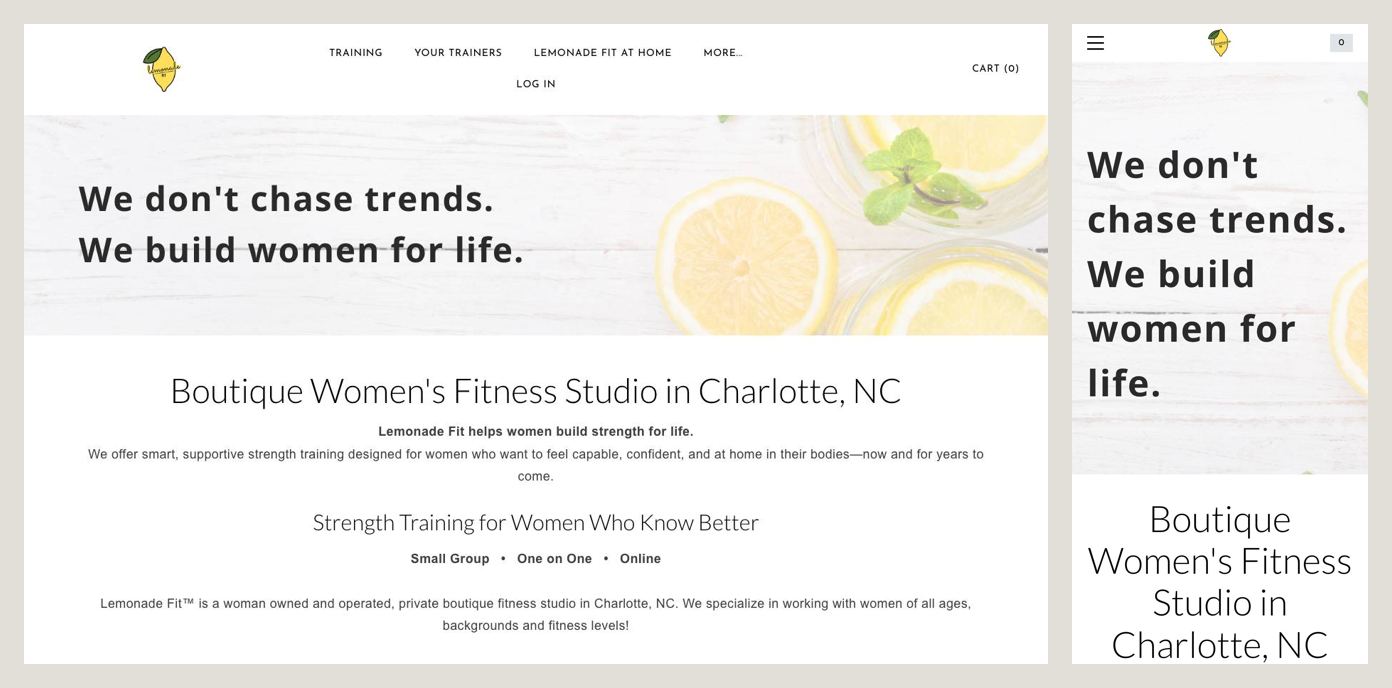
The headline has a point of view: “We don’t chase trends. We build women for life.” Under it, Boutique Women’s Fitness Studio in Charlotte, NC. Further down, the site gets more specific about who it’s for: women in their 30s and beyond, in a woman-owned, women-only space with a private entrance. It also lists exactly what you can book: 30- or 60-minute one-on-one sessions, small group strength training, or hybrid.
Steal this: pick your people and say it in the headline. A narrow audience feels like a risk, but it’s what makes the right client think “this is for me”.
5. Practical Fitness — Austin, TX
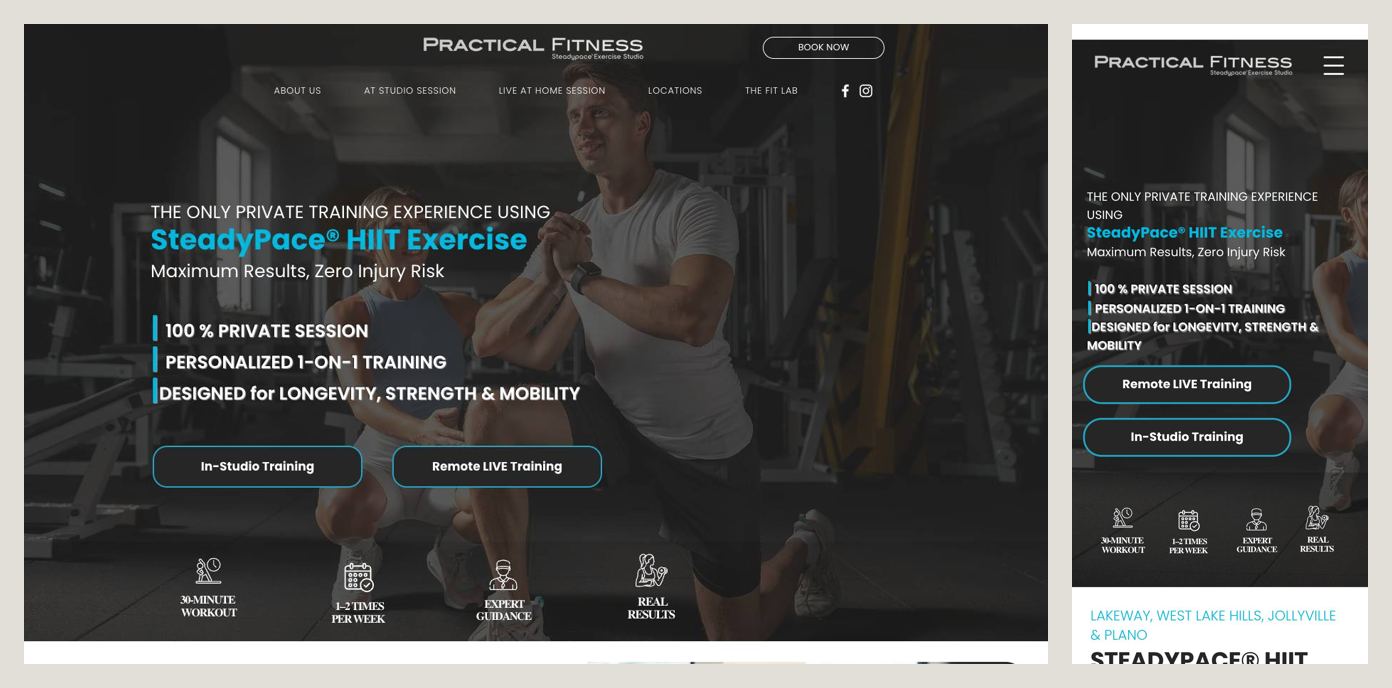
Practical Fitness sells one specific method, SteadyPace® HIIT, and answers the time question right on the first screen. Four icons show the deal: a 30-minute workout, 1–2 times per week, expert guidance, real results. Every session is private. Two buttons separate the options: Remote LIVE Training and In-Studio Training. The locations (Lakeway, West Lake Hills, Jollyville and Plano) are listed right below.
Steal this: tell people how much time it takes. “30 minutes, once or twice a week” answers the objection before a busy person even raises it.
What they all have in common
- A clear “who it’s for”: pain-free adults, women 30+, busy people, people who want privacy.
- A low-commitment first step: a free consultation, a call, a text.
- The place, by name: a neighborhood, a studio size, a private entrance.
- A real trainer behind it, sometimes right in the business name.
The mistakes that cost clients
These came up a lot on the trainer sites that didn’t make the list:
- A headline that’s only the business name. “Welcome to [Studio]” tells a visitor nothing.
- A shirtless model as the main photo. It speaks to people who already train, and puts off the beginners who need you most.
- No first step. “Learn more” doesn’t book anyone.
- A cookie banner covering the button on the first screen.
- Selling something else first. A first screen that pitches franchise opportunities or merch next to training splits the visitor’s attention.
A checklist for your personal trainer website
First screen, on your own phone:
- Who you train, in plain words
- Where: studio, in-home, online, and your neighborhood
- A real photo of you, not a stock athlete
- One clear first step: free consultation, call or text
- One trust signal: years, certifications, reviews
Further down the page:
- How a first session works, step by step
- Session length and how often, or package options
- Pricing, or how you price
- Results from clients like the one reading
- What the space looks like
Build it yourself, or have it built
You can build all of this yourself with a site builder: pick a template, add your photos, and work through the checklist above. Plan on a few evenings and a monthly subscription. If you’d rather spend those evenings training clients, that’s what we do: a custom one-page site with your photos, your story and the copy written for you, with your existing booking system wired in. It’s live in five business days for a flat $1,000, with no monthly fees.
Either way, start with the first screen. That’s where the first session is won or lost.