6 Handyman Website Examples That Get Calls (and What They Do Right)
Search for handyman website examples and you’ll mostly find template galleries and lists picked for looks. That’s not much help when you’re one truck, or three, and you want the phone to ring.
This list is judged differently. Each site below belongs to a small, local handyman business, and each was picked for what happens in the first few seconds on a phone: can a homeowner tell what you fix, where you work, why they can let you into their house, and how to get you out there?
What a handyman website has to do
Hiring a handyman is a strange purchase. The job is often small, the customer usually can’t judge the work in advance, and you’ll be inside their home. So the first screen has to answer four questions fast:
- What do you fix? Repairs, installs, remodels, rentals: say which.
- Do you come to my area? Name the city, or better, how far you’ll drive.
- Can I trust you in my house? License, insurance, reviews, a real face.
- How do I get you here, and what will it cost? A tappable number, a text option, and ideally a hint of price.
The examples
1. Bleuwave Handyman — Phoenix, AZ
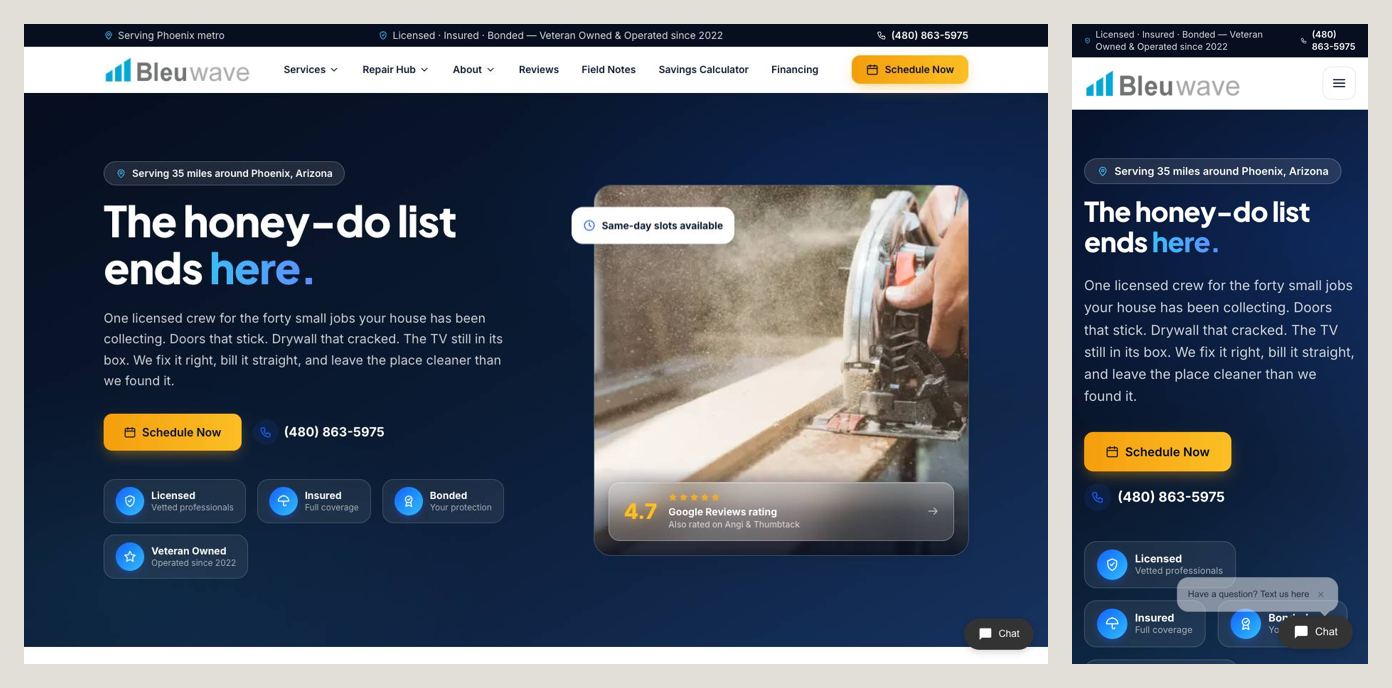
The headline is written in the customer’s words, not the trade’s: “The honey-do list ends here.” Everyone who’s ever had a list of small jobs on the fridge gets it instantly. A strip above the logo does the trust work: Licensed · Insured · Bonded — Veteran Owned & Operated since 2022. And instead of a vague “serving the Valley”, it draws a line: 35 miles around Phoenix, from Sun City to San Tan Valley.
Steal this: describe the problem the way your customer would, and make your service area a distance or a list of towns someone can check themselves.
2. Texan Handyman Services — Austin, TX
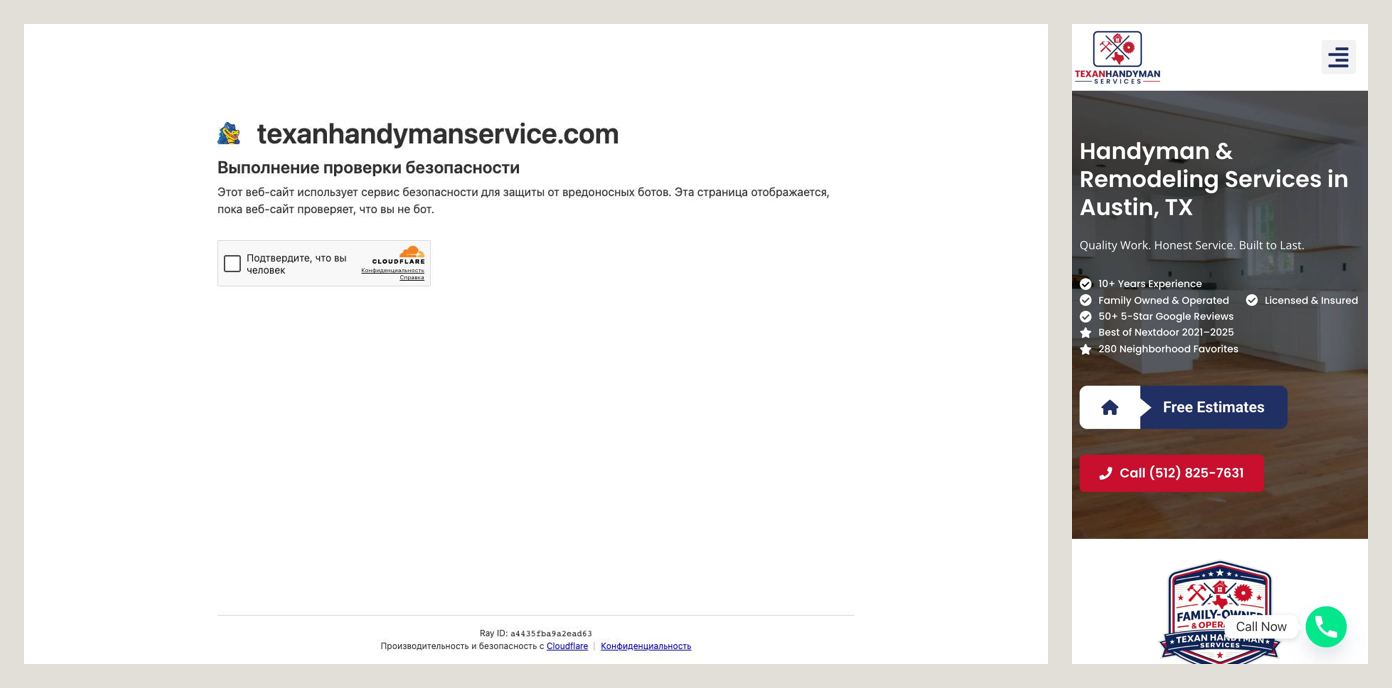
A plain headline that matches the search, Handyman & Remodeling Services in Austin, TX, then five lines of proof before any button: 10+ years, family owned, licensed and insured, 50+ five-star Google reviews, and Best of Nextdoor 2021–2025. Then two big buttons: Free Estimates and Call (512) 825-7631.
Steal this: if your neighbors have voted for you on Nextdoor, say so on the first screen. For a trade that lives on word of mouth, that badge carries more weight than any slogan.
3. Sponte Handyman Service — Phoenix, AZ
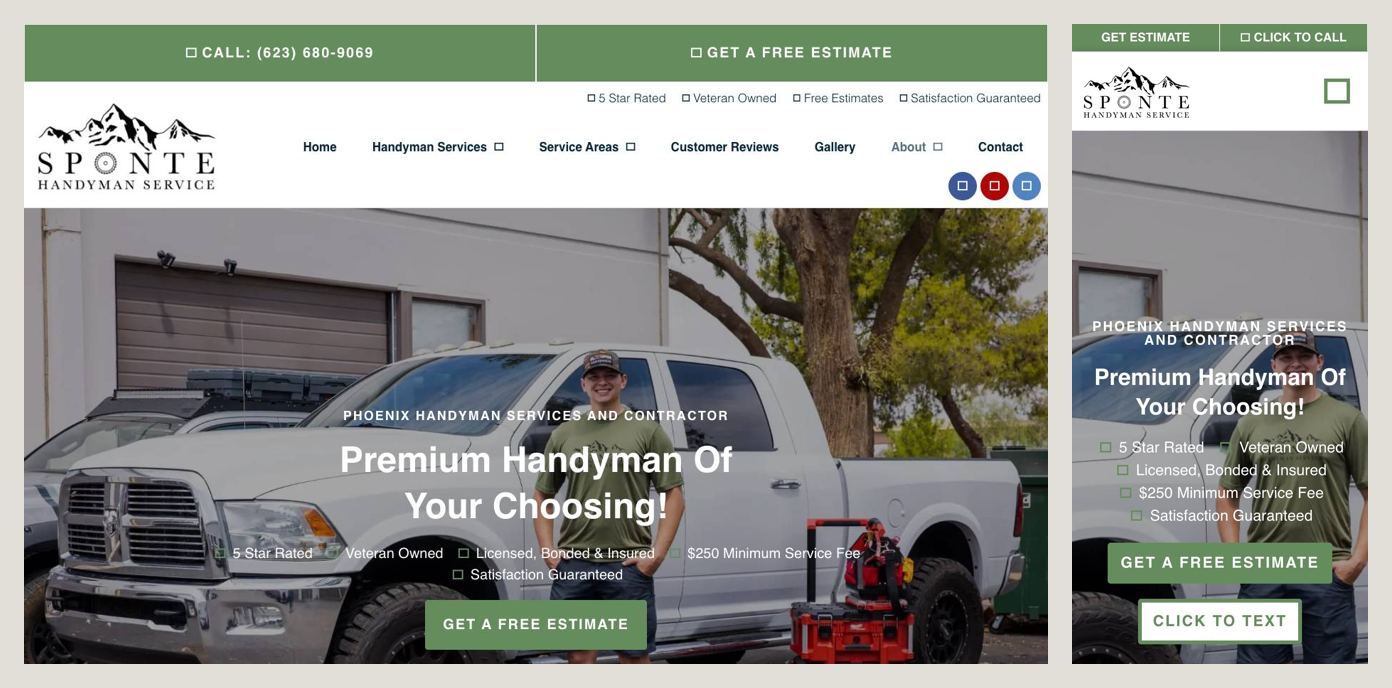
Two things stand out. A bar across the top of the phone screen offers Get Estimate and Click to Call, with Click to Text a little further down — plenty of customers would rather text a photo of a leaky faucet than explain it on the phone. And in the list of selling points, between Veteran Owned and Satisfaction Guaranteed, sits “$250 Minimum Service Fee.”
Steal this: say your minimum out loud. It filters out the calls you’d turn down anyway, and the people who do call already know roughly what to expect.
4. My Raleigh Handyman — Raleigh, NC
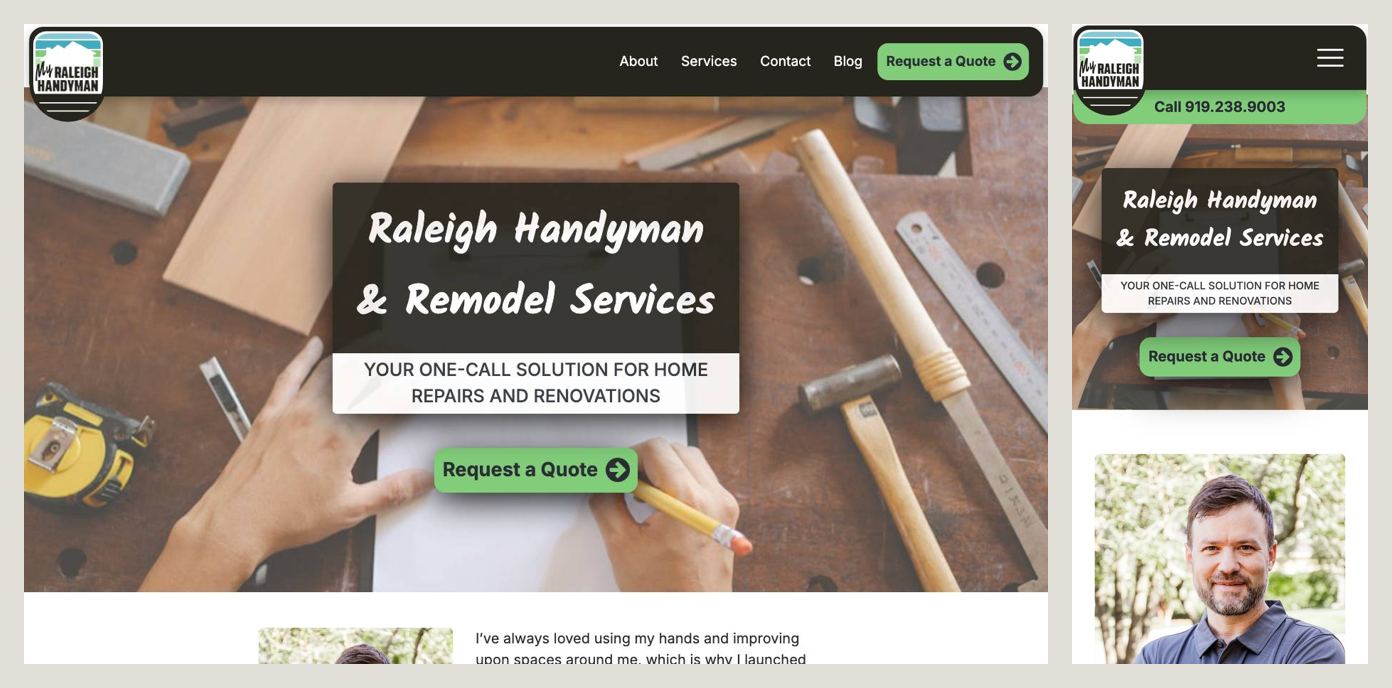
The phone number sits at the top in a green bar, Request a Quote is the main button, and just below the first screen is the thing most handyman sites leave out: a photo of the owner/operator. The reviews further down mention Michael Crane by name again and again — “Michael is always on time.” The site also explains its quote process in plain steps: send a description and photos, get an estimate by email, get scheduled.
Steal this: show your face. People are deciding whether to let a stranger into their home, and a real person with a name beats a logo every time.
5. Grandma’s Handyman Service — Denver, CO
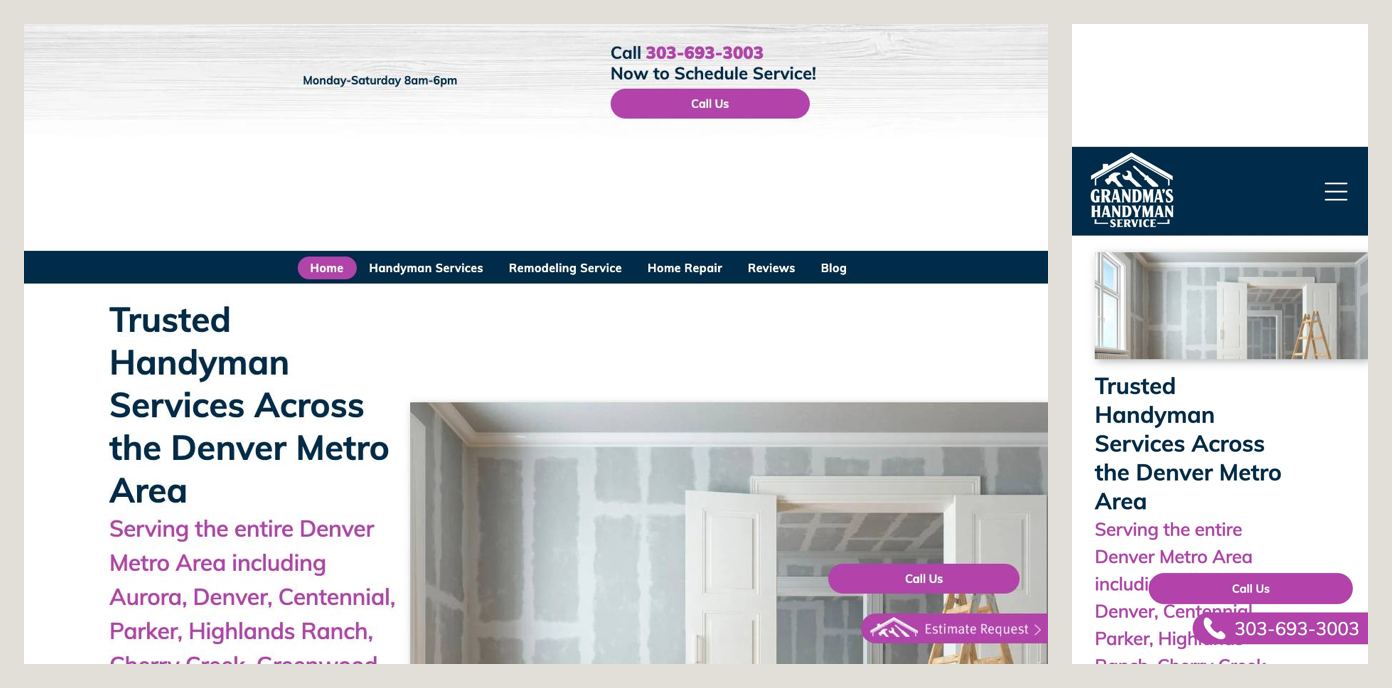
First, the name: you remember it after one visit. Second, the service area is spelled out town by town — Aurora, Denver, Centennial, Parker, Highlands Ranch, Littleton and more. Third, and rarest of all, the site publishes its rates: a $50 service/trip fee and $95 an hour, or an estimate instead of the hourly rate for bigger jobs. On a phone, a purple Call Us button floats at the bottom of the screen.
Steal this: if your pricing is simple, publish it. “How much will this cost?” is the question every visitor has, and almost no one answers it.
6. Anything Around The House — Austin, TX
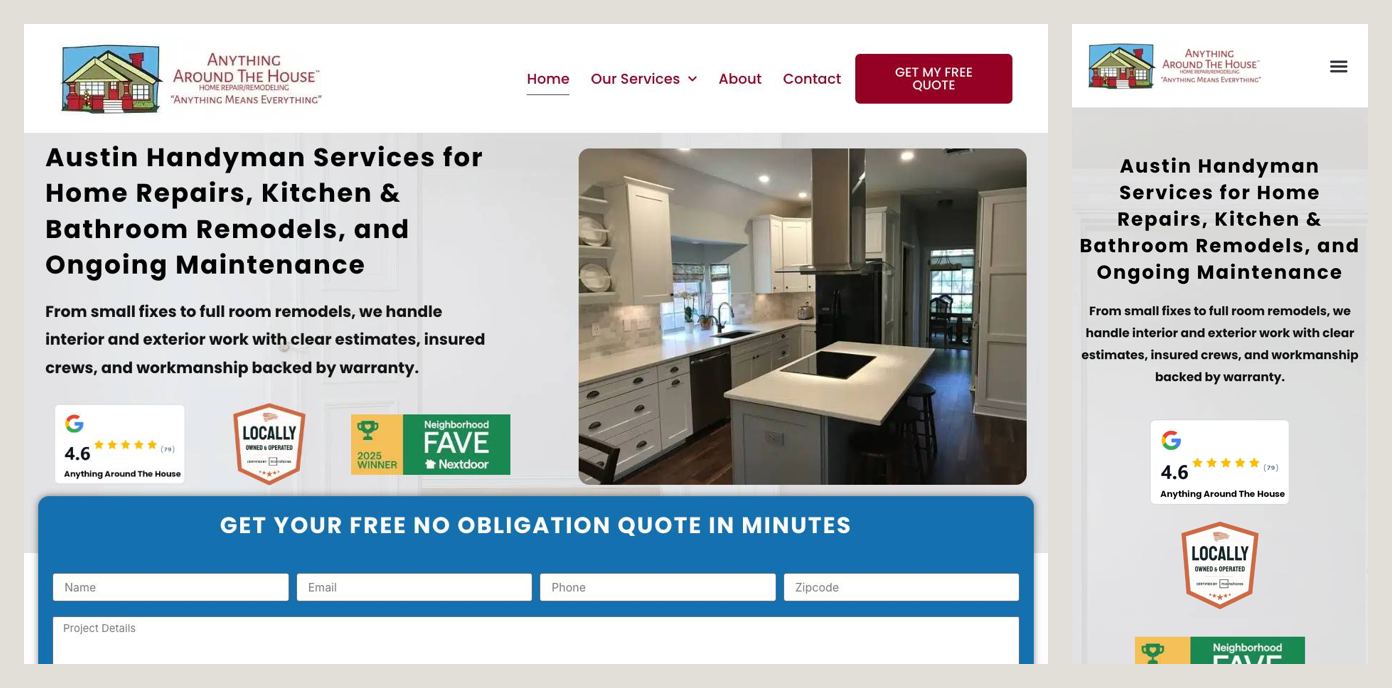
The headline is long but complete: it names the city and all three kinds of work — home repairs, kitchen and bathroom remodels, ongoing maintenance. Right under it sits a Google rating of 4.6 from 81 reviews. Not a perfect 5.0, and that’s exactly why it’s believable. Further down, the site addresses the fear directly: after 20 years in Austin they’ve seen the “free labor” scams and contractors who vanish with a deposit, and they explain how they’re different.
Steal this: name the worry your customers already have — no-shows, surprise bills, disappearing contractors — and answer it head on.
What they all have in common
- A city or a radius on the first screen.
- More than one way to reach them: call, text, form, or online booking.
- Proof that you’re safe to let in: licensed, insured, bonded, years, reviews.
- A real person or real voice, not “Quality Service You Can Trust.”
- Some honesty about price: a minimum, a trip fee, or “estimate before any work starts.”
The mistakes that cost calls
These came up again and again on the handyman sites that didn’t make the list:
- A phone number that isn’t a link. On a phone, a number you can’t tap is a number most people won’t copy.
- The first screen is a pop-up: cookie banners, “continue to our site” screens, chat boxes covering the only button.
- A headline that’s just the company name. “Smith Handyman LLC” tells a visitor nothing they didn’t know from Google.
- No service area at all, so every visitor has to call to find out if you even come to them.
- Stock photos of a smiling man with a drill. Customers can tell, and it makes your real work look fake by association.
A checklist for your handyman website
On the first screen, on your own phone:
- What you fix, in plain words
- Your city, or how far you’ll drive
- A phone number that dials when tapped
- A way to text or send a photo
- Licensed, insured, and how many reviews
- One main button: estimate, quote or book
Further down the page:
- A list of the jobs you take (and, if it helps, the ones you don’t)
- A photo of you or your crew
- Before and after photos of real jobs
- Your minimum, trip fee or how estimates work
- Three or four real reviews that mention you by name
Build it yourself, or have it built
You can build all of this yourself with a site builder: pick a template, add your photos, and work through the checklist above. Plan on a few evenings and a monthly subscription. If you’d rather spend those evenings on paying jobs, that’s what we do: a custom one-page site with your photos, your service area and the copy written for you, live in five business days for a flat $1,000, with no monthly fees.
Either way, start with the first screen. That’s where the job is won or lost.